Visual Size Comparison
Free tool for phones, people, paper, and TVs—pick what you care about, line them up, and share the result.
A single millimetre or centimetre on a listing rarely sticks. Put two phones, two people, or a phone next to a sheet of paper on the chart, and the gap is easy to see.
Browse phones by brand, open the height list for celebrities and characters, or add paper and TV sizes when you need a familiar reference. Switch units anytime.
Start from here
Browse models, then open them on the chart.
HeightCelebrities, athletes, and characters by height.
AnimalsHow big is a bear, wolf, or whale?
PaperA4, Letter, envelopes, and cards in real mm.
TVDiagonal, picture size, and seating distance.
GuidesShort reads that jump into the matching tool.
iPhone 17 sizesSize comparison
Quick start
Dimensions are checked against official specs where available.
Above the chart, the control panel has three tabs. Use them to pick items, add your own sizes, then tune how the chart looks.
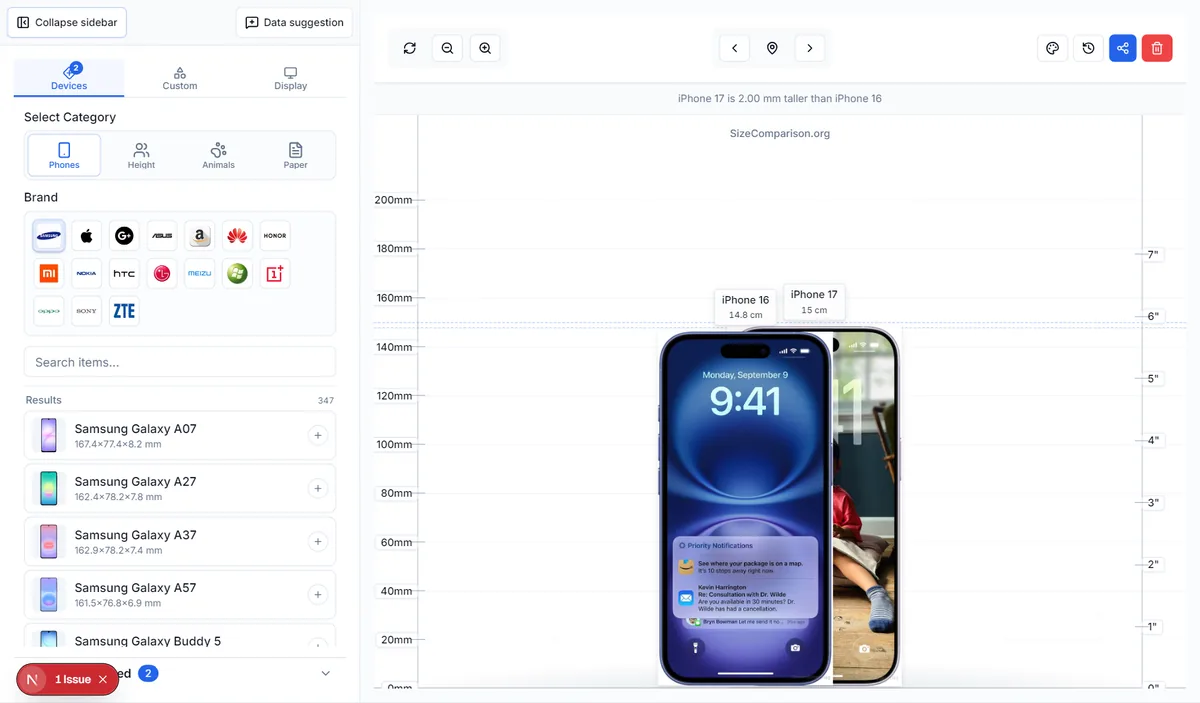
Devices — pick from the library
Choose a category (phones, height, animals, paper…), filter or search, then tap + to put items on the chart. Two or more items make the gap easy to see.
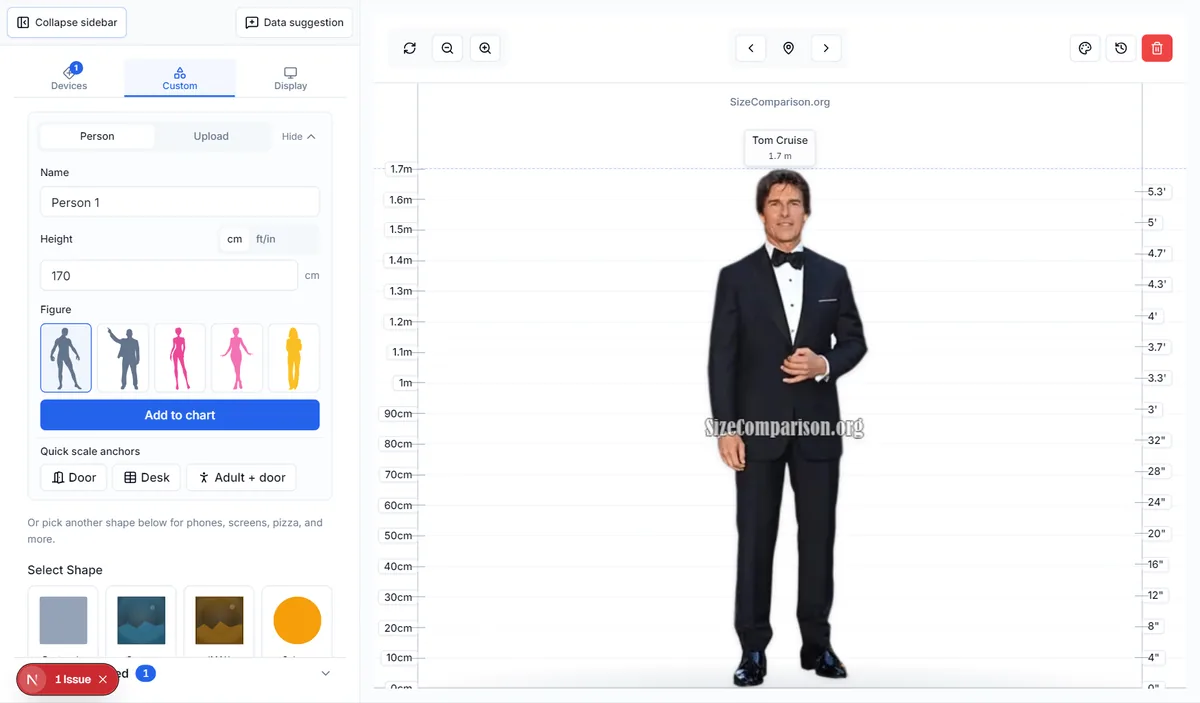
Custom — add what is not in the list
Enter a person height, upload a figure, or draw a rectangle/circle with millimetre sizes. Handy for luggage, furniture, or anything the shared list does not cover yet.
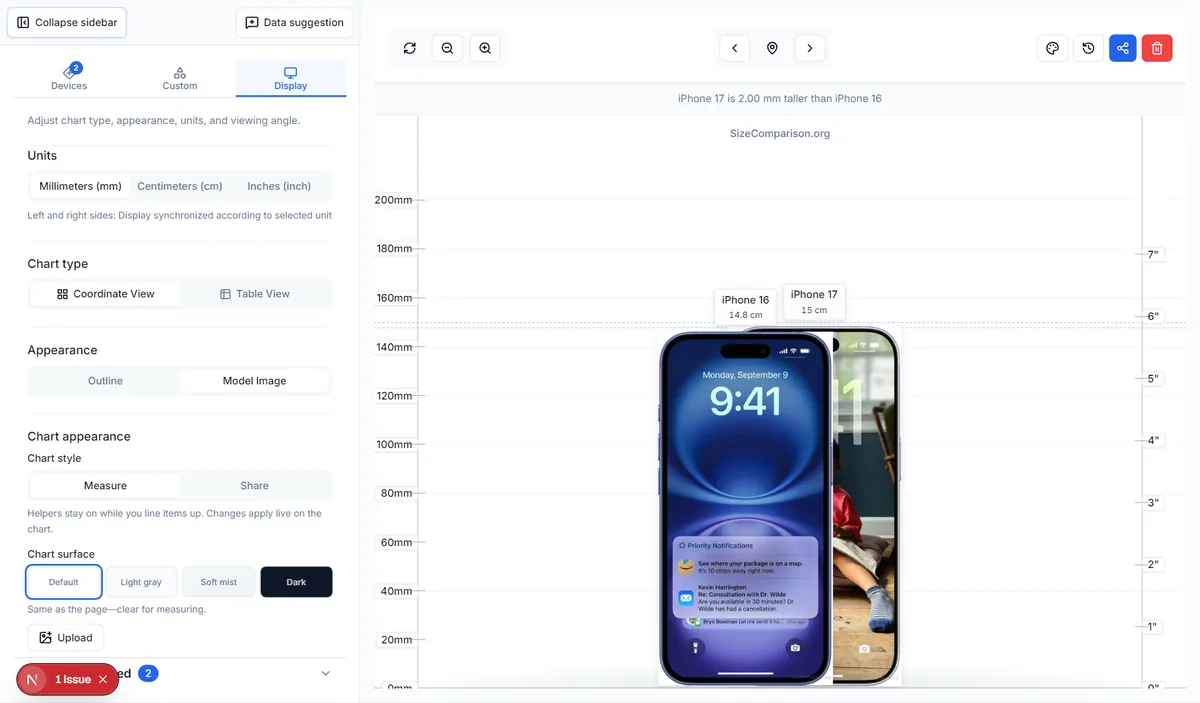
Display — units, chart type, appearance
Switch mm / cm / inch, coordinate chart or table, photo or outline, and chart surface styles. Changes apply live on the canvas.
Frequently asked questions
Where does the data come from?
Device dimensions come from official manufacturer specs whenever possible. Height and character figures use curated public references; always double-check critical real-world numbers.
What are the Devices, Custom, and Display tabs?
Devices picks items from the shared library. Custom adds sizes you type yourself (person, shapes, upload). Display changes units, chart type, and how the chart looks—not which items are on it.
How can I add something new?
Use Custom on the home tool to enter known dimensions, or contact us to suggest a model for the shared list.
What can I compare?
Phones and other devices, people and fictional characters, paper formats (A4, Letter, and more), TV or monitor diagonals, animals, and custom shapes you define yourself.