Most people who want to compare their height already know the numbers. What they want is a picture: you and the other person on one chart, so a 10 cm or 15 cm gap is easy to see instead of arguing in chat.
On this site you can type two real heights yourself, or stand next to someone from the height list. Follow the steps below when you are ready to build your own.
How to compare your height here
A basic comparison takes about a minute.
- Open Custom and stay on Person
Tap “Open Custom on the home chart.” You should see Name, Height, Figure, and a blue Add to chart button. Keep Person selected (not Upload) unless you already want a photo.
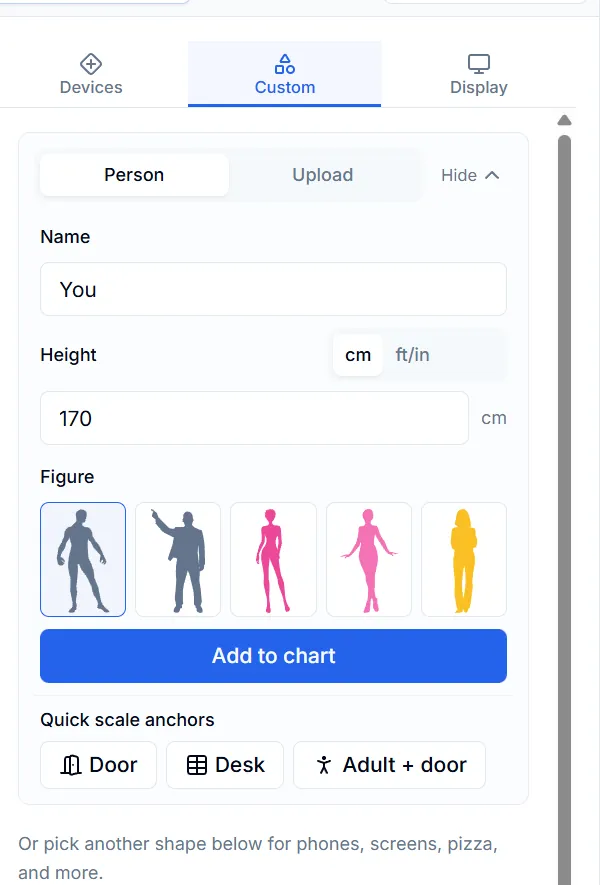
What you should see: Name, Height, Figure, then Add to chart. Door / Desk sit just below. - Add yourself
Type a name (for example You), enter your height in cm or ft/in, pick a silhouette, then tap Add to chart. You will appear on the shared scale used by everything else on the canvas.
- Add the other person
Repeat for a friend with their real height. Prefer a celebrity? Open the height list, tap their card, and send them to the same chart so you share one ruler.
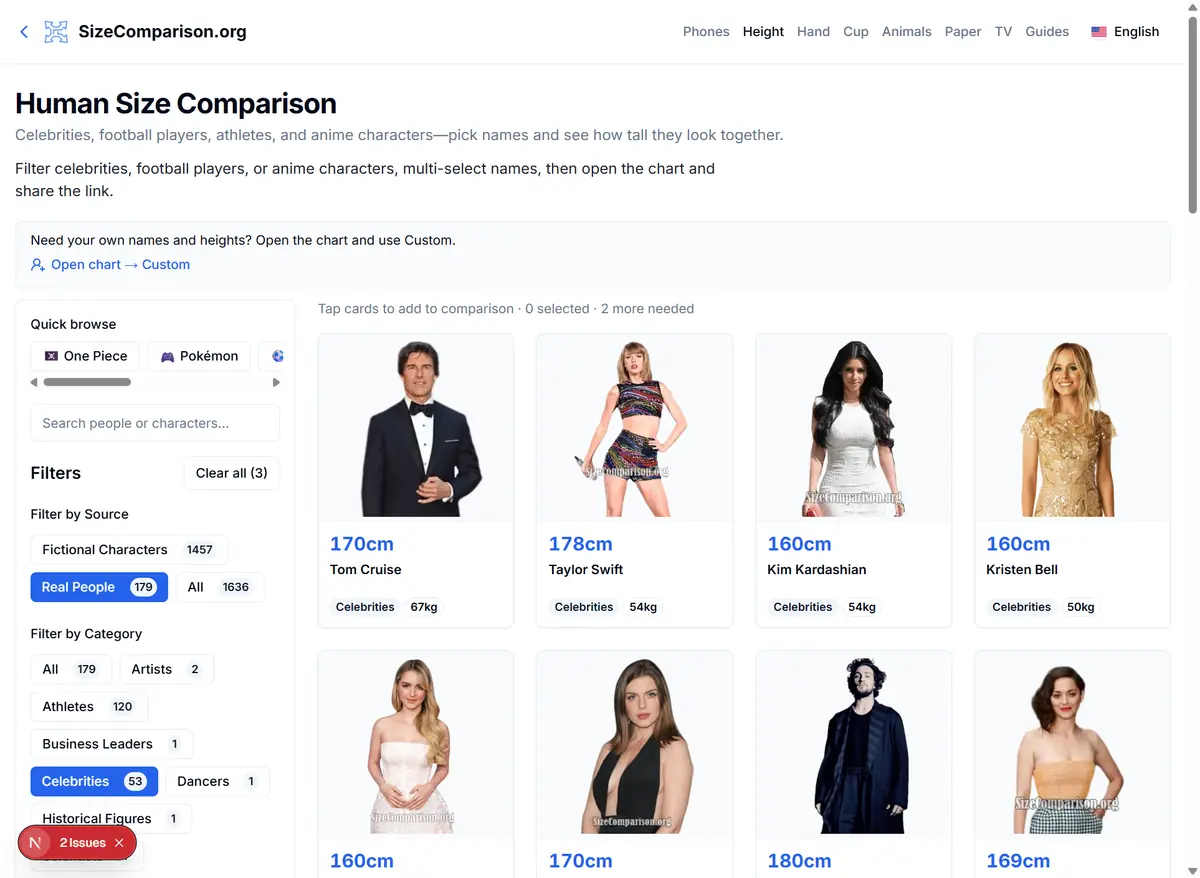
Height list: search or filter, tap cards, then open the chart. You can still add yourself afterward. - Optional door, then save or share
Tap Door under Quick scale anchors if you want a ~200 cm reference. When the lineup looks right, use Share for a link (heights for simple figures) or export an image for chat. Uploaded photos are not carried by share links—export a PNG for those.
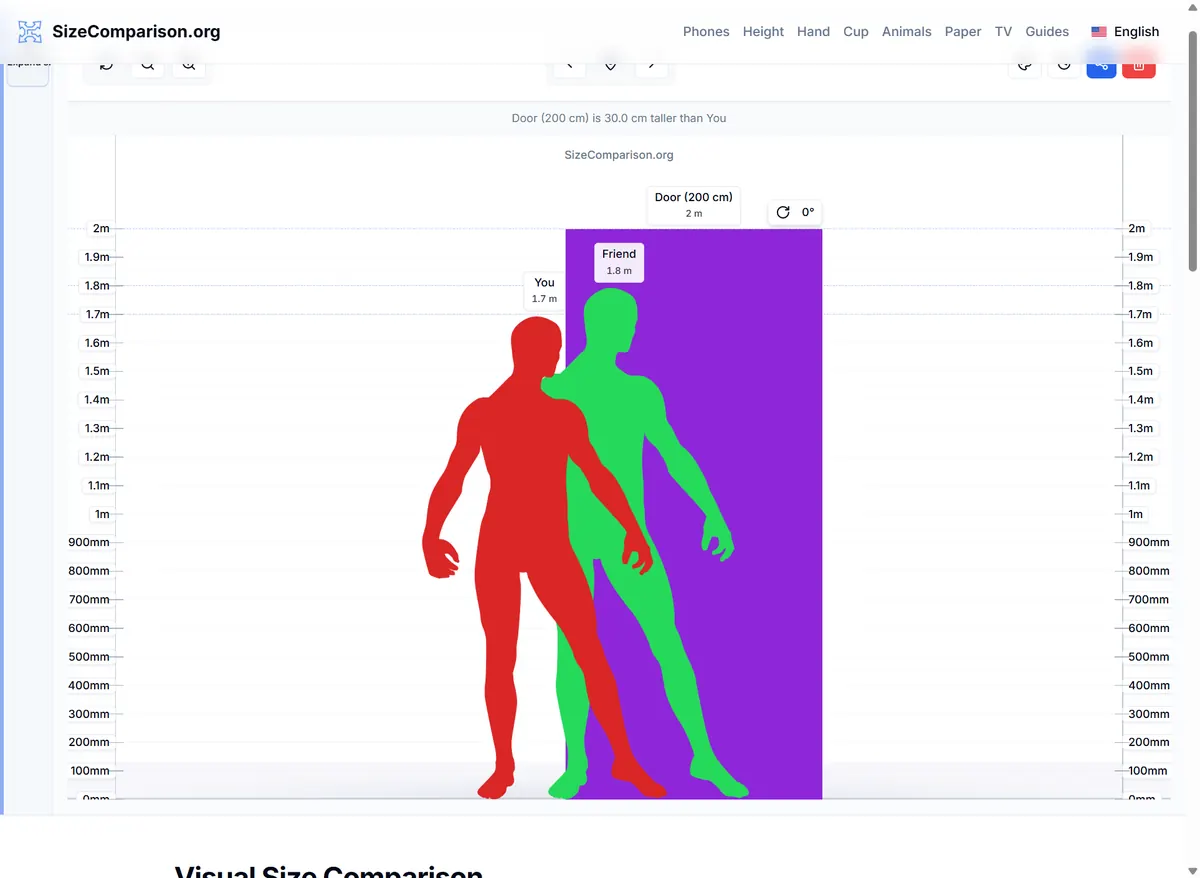
Finished lineup: You, Friend, and an optional Door on one scale—ready to share or export.
Three common reasons people do this
You and a friend (or partner)
Both of you enter real heights on the Person form. If someone only remembers feet and inches, switch the unit in the form instead of converting by hand.
You and a celebrity or character
Add yourself first, then pull the other person from the height list (or start from Height and add yourself second). Same scale either way.
Ending a group-chat argument
Build the two figures, export a still, and send the image. A short lineup beats another round of phone photos from odd angles.
Small habits that keep the chart fair
Agree on shoes on or off before you type heights. Heels and thick soles change real-life impressions more than the chart can guess. If someone only has an old passport number, say so when you share.
A door is the fastest sanity check: if someone looks taller than a normal doorway, the height field was probably mistyped. Keep the first lineup to two or three figures so the gap stays readable on a phone.
Related guides
- Add yourself to a height chart — When to upload a standing photo instead of a silhouette.
- Character height comparison — Building casts when wiki numbers disagree.
FAQ
Where do I start if the home page feels busy?
Open Custom, stay on Person, and add two named heights first. Use the height list or a door only if you still need them.
Can I compare myself to someone in the height list?
Yes. Add yourself on Custom, then add them from Height so both stand on the same chart.
Will a shared link include my photo?
No. Links keep heights for simple figures. Export a PNG if friends need to see an upload.